Product
What was planned and what happened, side by side
A schedule says what you were going to do. The record says what you did. The gap between the two is where half the labour problems of a company with shifts live.
What it allows
The schedule stops living in a spreadsheet
Day, week and month
The same schedule in three views. Each person sees only their own, and only what the administration has published.
Copy the week and drag
Repeat a whole week over another and move a shift from one day to another by dragging it.
Rotating shifts and templates
Morning, afternoon and night with their cycle, defined once. And 37 starting templates in eight sectors, from hospitality to logistics: they are a starting point, the collective agreement prevails.
Several sites
Each site with its own schedule and cover: how many people are needed and whether the schedule covers it.
Swaps between colleagues
One person asks for the swap, the other accepts or rejects it and the administration approves or denies it. Everything is noted, and what is approved is applied to the schedule.
Explainable auto-fill
It proposes a distribution of shifts taking contract and availability into account, and says why it has put each person where it did. You decide whether to accept it.
For the team
Everyone takes part in their timetable
The schedule is not only the concern of whoever builds it. Staff can say when they cannot work, offer to take a shift and warn if they are running late.
Availability and “I can’t” days
The person marks the days they cannot work, or an availability that repeats every week. The administration receives the notice and takes it into account when planning.
Open shifts
An uncovered shift is published; whoever wants it volunteers and the administration assigns it. Once assigned, the shift goes into the schedule.
Absences that leave gaps
Approved sick leave or holidays open a gap in the schedule. From Cover it is published as an open shift.
Warning of a delay
The person warns that they are arriving late or are on their way. It is a message about one of their own shifts: it carries no location.
Announcements and shift notes
Messages to all staff, to a site or to specific people, with read receipt. And notes attached to a specific shift.
Private personal agenda
Each person copies their shifts to their own agenda, adds their own items and takes it to their calendar. It is theirs alone: neither the company nor the gestoría (labour and tax advisory firm) can read it.
What matters to us
It warns you before the schedule breaks the rules
Planning is easy; planning without skipping a mandatory rest is less so. These are the minimums of the Estatuto de los Trabajadores that are checked.
Art. 34.3 of the Estatuto (ET)
Twelve hours between working days
At least twelve hours must pass between the end of one working day and the start of the next. A closing shift followed by an opening shift almost always breaks this.
Art. 34.3 of the Estatuto (ET)
Nine hours a day
A maximum of nine ordinary hours a day, unless the collective agreement or a company agreement sets another distribution.
Art. 34.4 of the Estatuto (ET)
Rest within the working day
If the continuous working day exceeds six hours, there is a rest of at least fifteen minutes. For under-eighteens, half an hour from four and a half hours.
Art. 37.1 of the Estatuto (ET)
A day and a half a week
A minimum weekly rest of a day and a half without interruption, which can be accumulated over periods of up to fourteen days.
Art. 34.2 of the Estatuto (ET)
Five days’ notice
When working time is distributed irregularly, the person must know the day and hour of their work with at least five days’ notice.
If a schedule breaks any of these limits, the tool flags it while you build it, not three months later in an inspection. Whoever saves a shift despite the warning can write down the reason, and that reason appears in the report.
The compliance report gathers each rule checked with its article and its official link, and each finding with the person’s name, what is happening and how to fix it. It comes out as a PDF and can be shown to the Labour Inspectorate. It is an automatic, indicative review: if your collective agreement is stricter than the law, or sets another distribution of working time, the collective agreement prevails, and the report does not replace a professional’s assessment.
BOEEstatuto de los Trabajadores, arts. 34 and 37: working time and rests
Making sure they know
The person confirms they have seen their week
When the schedule is published, each person marks “noted” for the week. If their timetable changes afterwards, the application shows it to them and asks again.
It serves to record that the person knew their timetable in advance. It is not a signature or a consent: it is the acknowledgement that they saw it. The Estatuto requires that notice, of at least five days, when working time is distributed irregularly.
BOEEstatuto de los Trabajadores, art. 34.2: irregular distribution and notice
Beyond the shift
What the rules ask for and the schedule must capture
Art. 34.8 of the Estatuto (ET)
Work-life balance
The person asks for an adaptation of their working time or of the way they work. The administration negotiates, grants, proposes an alternative or refuses with a reason, and each step is noted. This is sensitive data: only the person and the administration see it.
Art. 16.3 of the Estatuto (ET)
Permanent-discontinuous workers
A file for each person with their calls to work and the advance notice, in writing or by a means that leaves a record.
Art. 38 of the Estatuto (ET)
Holidays
A planner with the distribution across the staff and a warning when the dates are not known two months in advance. Holidays are never less than thirty calendar days.
For whoever manages
The figures to hand, without spreadsheets
Estimated labour cost
An estimate of the labour cost of the schedule. It is indicative: it does not replace the payroll.
Fairness in the distribution
How many nights, weekends, public holidays and split shifts each person has compared with the average. It only informs; it does not distribute for you.
Company calendar
Public holidays and special days, marked on the weekly schedule. The 2026 national public holidays are read from the BOE resolution.
Management reports
Summaries of the schedule for whoever manages it, in PDF and in CSV.
Week as PDF
The week of the schedule, ready to print or send.
Planned versus clocked
The planned shift and what was clocked, side by side, to see lateness, early departures and shifts not clocked.
The wrap-up
Comparing the plan with reality
A widespread and costly mistake: using the schedule as the working-time record. It is convenient and tempting, because the schedule is already done. But the rule asks for what was actually worked to be recorded, not what was planned. A record that matches the schedule exactly every day of every month is, to an inspector, a sign that nobody is really clocking in.
Here they are two different things and they are seen together: the planned shift and the actual clock-in. The differences stand out: late arrivals, early departures, shifts with no clock-in at all and clock-ins with no shift. What is done about them is for the administration to decide.
Not yet
What is not there yet
We list it separately so that you do not count on it until it really exists.
- Shift notices on the phone: for now the notices are seen inside the application.
- Public link for the week, to share without an account: the page exists and is being checked against the server.
- Kiosk for clocking in from a shared device.
- Review of the interface translations by native speakers.
- Android application: we are deciding how a subscription would be taken out from it.
Frequently asked questions
Does the schedule work as a working-time record?
No. The rule asks for what was actually worked to be recorded, not what was planned (art. 34.9 of the Estatuto de los Trabajadores). Here the planned shift and the actual clock-in are seen together, with late arrivals, early departures and shifts not clocked in plain view.
Does it warn if the schedule skips a rest?
Yes. If a schedule breaks any of the limits that are checked, such as the twelve hours between working days or the day and a half of weekly rest, the tool flags it as you build it. The compliance report is indicative: if your collective agreement is stricter than the law, the collective agreement prevails.
Are there shift templates by sector?
There are 37 starting templates in eight sectors, from hospitality to logistics. They are a starting point: the collective agreement prevails.
What the law says
What it looks like
Screenshots from the demo
Images of the application in demo mode, with a fictitious company and fictitious people. The service is not yet open to the public.
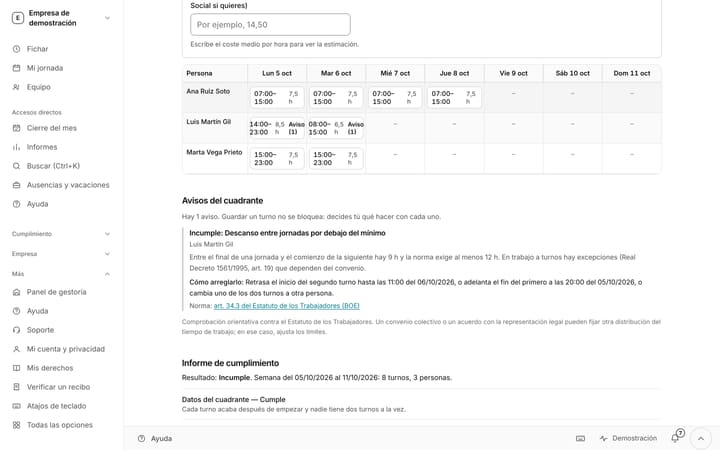
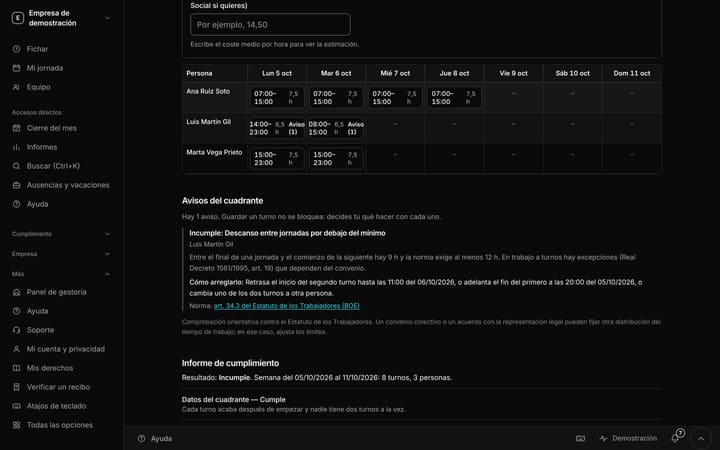
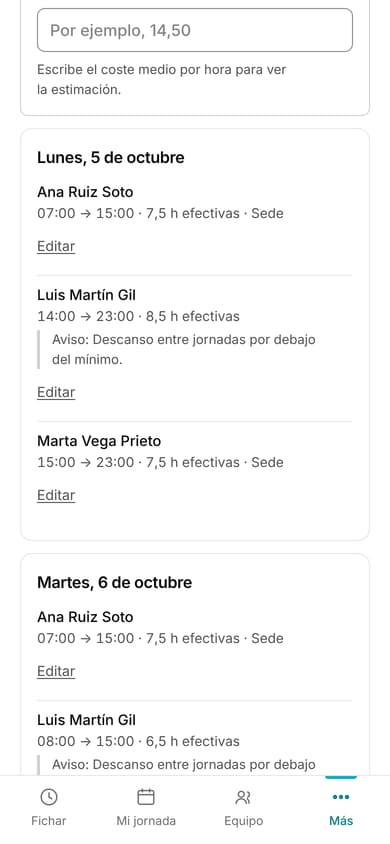
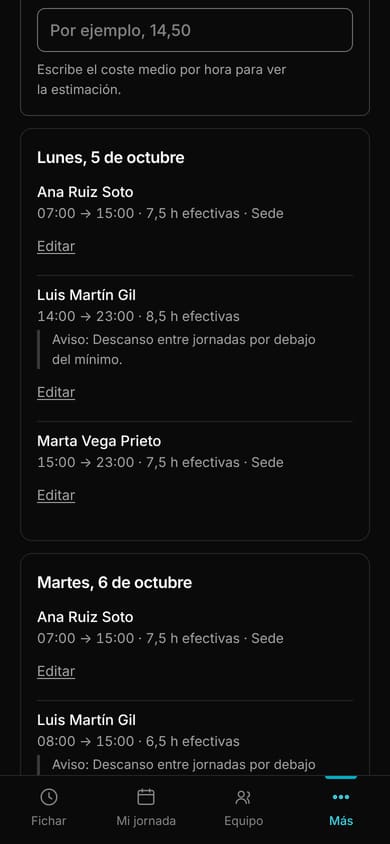
Weekly schedule: people by daysIn demo
Screenshot from the demo, with fictitious data. The interface shown is in Spanish.
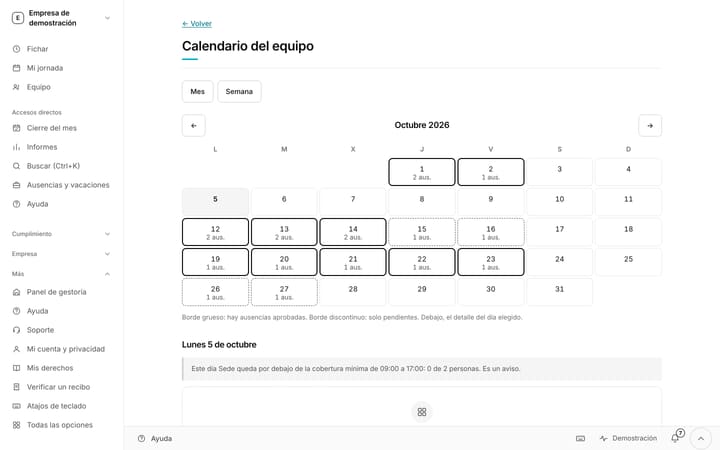
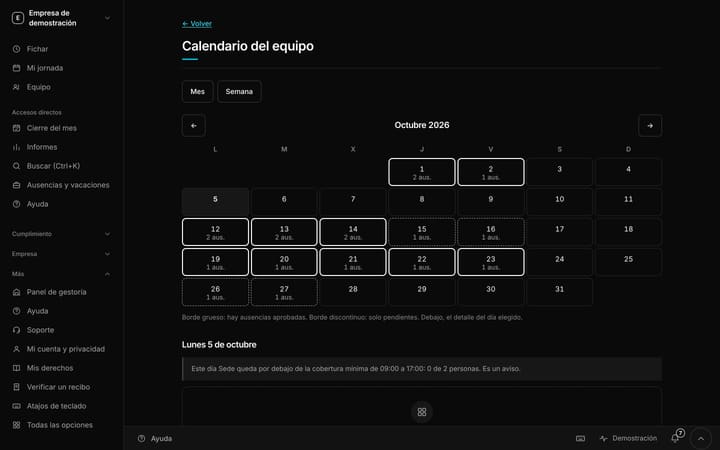
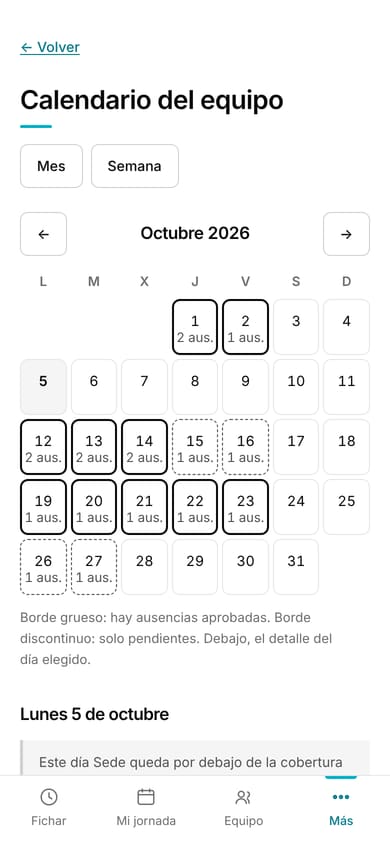
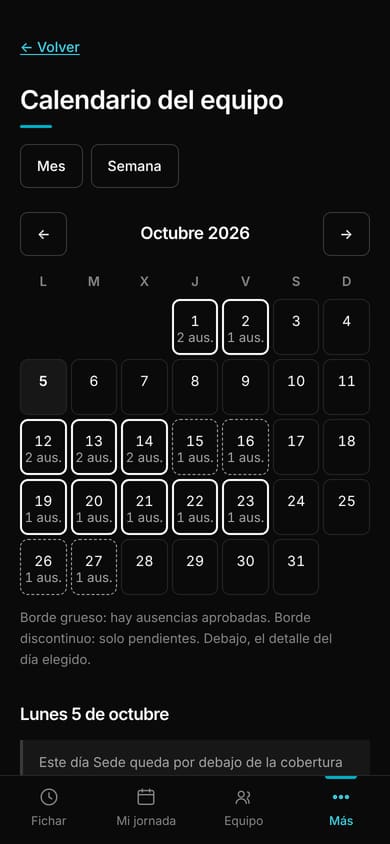
Team calendarIn demo
Screenshot from the demo, with fictitious data. The interface shown is in Spanish.
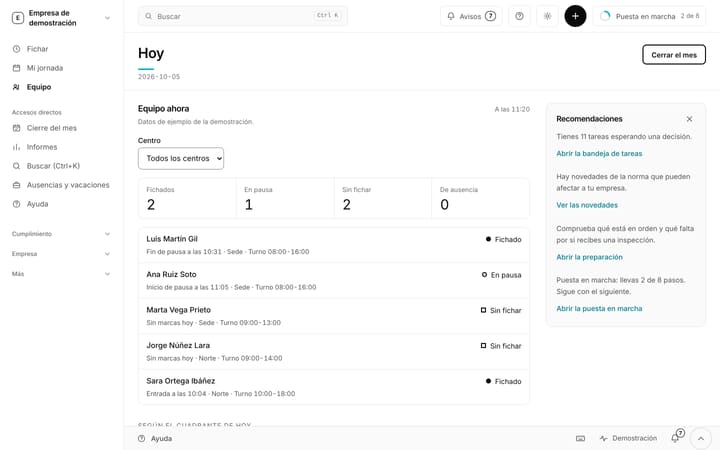
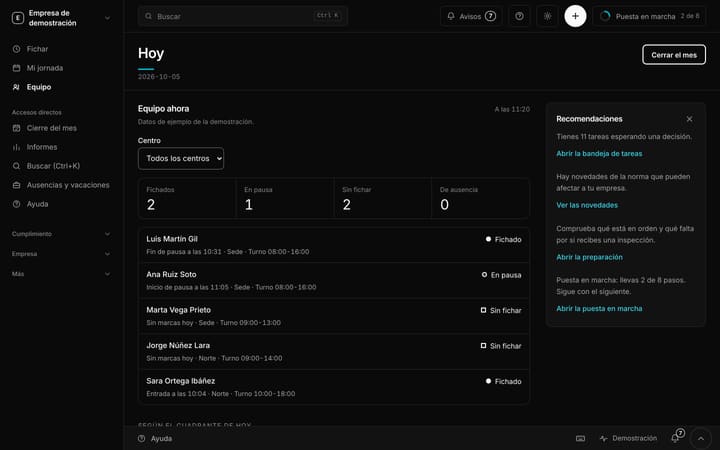
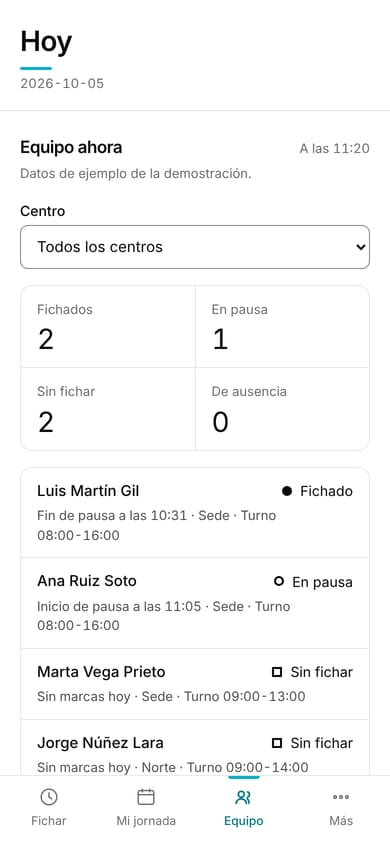
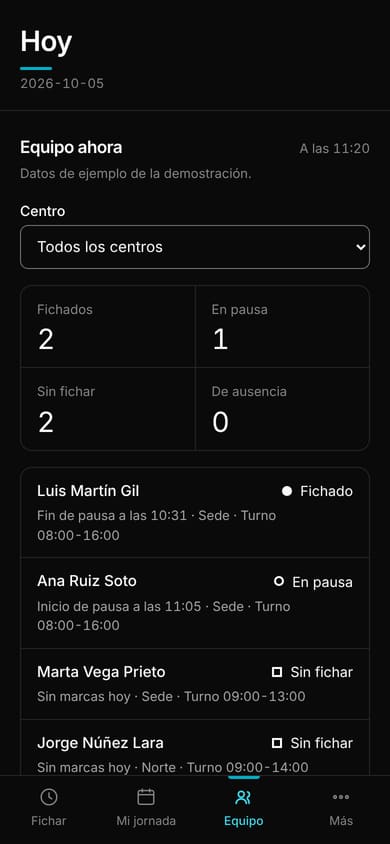
Team: who is clocked in right nowIn demo
Screenshot from the demo, with fictitious data. The interface shown is in Spanish.
Free until 31 May 2027. Just your email.
No card and no billing details: your email is all you need to start. You register your team in five minutes and you clock in today.