Product
Clocking in should take two seconds
When clocking in is awkward, people forget. And a record with gaps loses its usefulness, because the missing period is usually the one that gets requested.
How you clock in
A way to clock in for every person
There are no methods reserved for the expensive plan. A company of four people has the same methods and the same geofences as one of two hundred.
Phone
One big button and the counter running. One thumb, one gesture, nothing to search for.
In the browser, today. iOS and Android apps: in preparation
Browser
From the computer, without installing anything. For offices and remote work.
Any browser
Kiosk
A fixed tablet at the entrance. Each person enters their PIN and clocks in within two seconds.
In demo today. With real data: in preparation
QR code
Each person shows the kiosk their personal code, which changes every thirty seconds, so a photo is no use.
In demo today. With real data: in preparation
NFC card
Hold the card against the kiosk reader. For people who do not carry a phone or do not want to use it.
In demo today. With real data: in preparation
Watch
Clock in from your wrist, without taking the phone out of your pocket or taking off your gloves.
Apple Watch: in preparation
Without coverage
On the building site, in the basement and in the van
Many people work where there is no coverage: warehouses, basements, building sites, open ground, tunnels. If your clock-in system needs the internet to record an entry, that entry is lost.
Here you clock in all the same. The record is stored on the device itself with the real time, marked as deferred and synchronised as soon as there is a network. Both times are on record: when it was clocked and when it was uploaded. That is what art. 4.d of the draft Real Decreto, which is still being drafted, provides for technical incidents.
It is worth checking before you sign up to any system: in construction, transport, farming or cleaning, people work every day in places without coverage, and a clock-in that cannot be recorded is a missing entry.
What is recorded
The eleven fields, not two
The draft Real Decreto lists eleven fields. We capture all of them from day one, including the five least common ones.
- Start and end with hour and minute
- Each break, with its start and its end
- On site or remote
- Ordinary, overtime or complementary
- Whether the overtime is paid or compensated
- Waiting and on-call time
- Interruptions of the digital disconnection
- Work-life balance, flexibility and irregular working time
- Daily and monthly totals
- Authorship of each change
- Working-time regime and part-time percentage
Where you clock in
Location yes, tracking no
A geofence can be defined for each site. The clock-in stores the coordinates of the moment the button is pressed and notes whether they fell inside the site’s geofence. Nothing more: the geofence informs, it does not prevent clocking in.
There is no continuous tracking, nobody’s whereabouts are known between one clock-in and the next, and outside working hours no location of any kind is recorded. This is not a technical limitation: it is a design decision consistent with art. 90 of the LOPDGDD, which requires prior, express, clear and unambiguous information about geolocation.
Nobody is obliged to clock in with their personal phone. On the tablet at the premises you clock in with a personal PIN of 4 to 8 digits or by holding up an NFC card, and the server sets the time. There is no fingerprint or face: biometrics are not offered. The QR code, on the other hand, is shown from the phone. Today it works in the demo and has been tested without a real tablet; with real data, in preparation.
BOELOPDGDD, art. 90: rights regarding geolocation in the workplace
Frequently asked questions
Can you clock in without coverage?
Yes. The clock-in is stored on the device itself with the real time, marked as deferred and synchronised as soon as there is a network. Both times are on record: when it was clocked and when it was uploaded.
Is the staff’s location tracked?
No. With the site’s geofence, the clock-in stores the coordinates of the moment the button is pressed and notes whether they fell inside. Nobody’s whereabouts are known between one clock-in and the next, no location is recorded outside working hours, and the geofence informs, it does not prevent clocking in.
Can you clock in without using a personal phone?
Yes, on the tablet at the premises: with a personal PIN of 4 to 8 digits or with an NFC card. The QR code is shown from the phone, so it does not serve this case. There is no clocking in with a fingerprint or a face. Today it is in demo and tested without a real tablet; with real data, in preparation.
Where can you clock in from today?
From the browser, on the phone or the computer, without installing anything. The kiosk with PIN, the QR code and the NFC card are in demo today; the iOS and Android apps and the Apple Watch are in preparation.
What the law says
What it looks like
Screenshots from the demo
Images of the application in demo mode, with a fictitious company and fictitious people. The service is not yet open to the public.
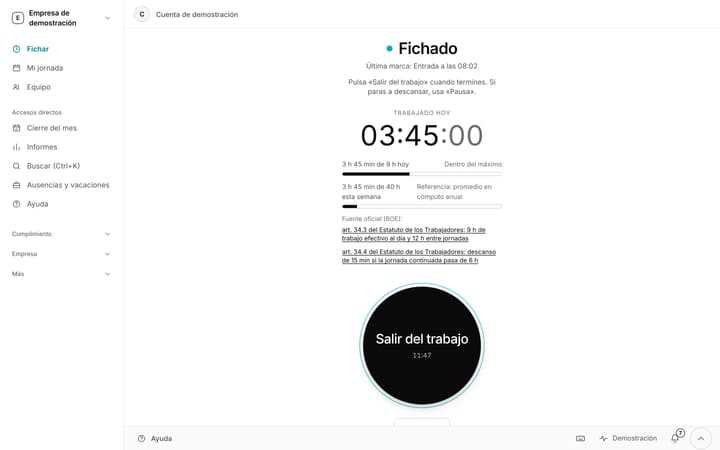
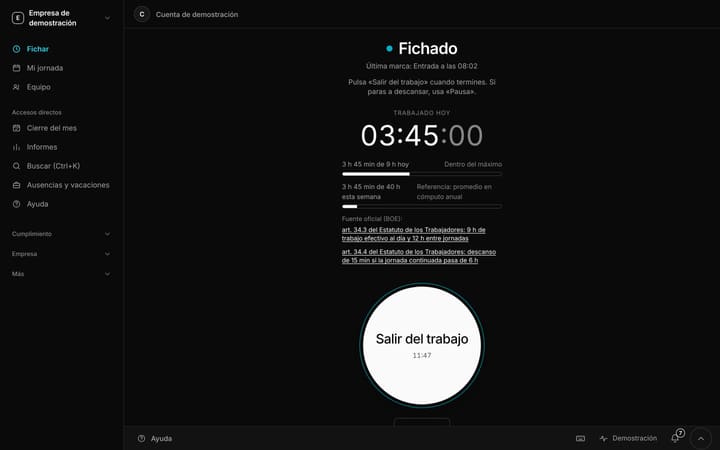
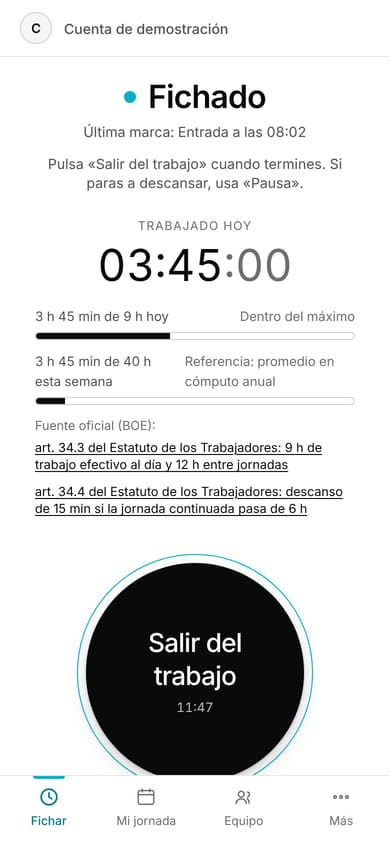
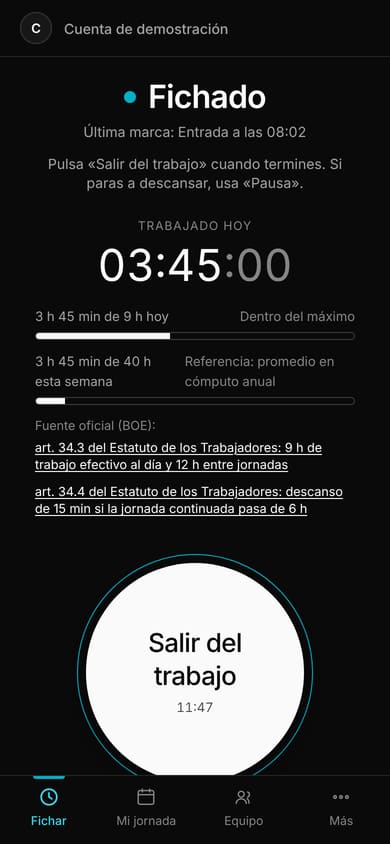
Clocking in: working day under wayIn demo
Screenshot from the demo, with fictitious data. The interface shown is in Spanish.
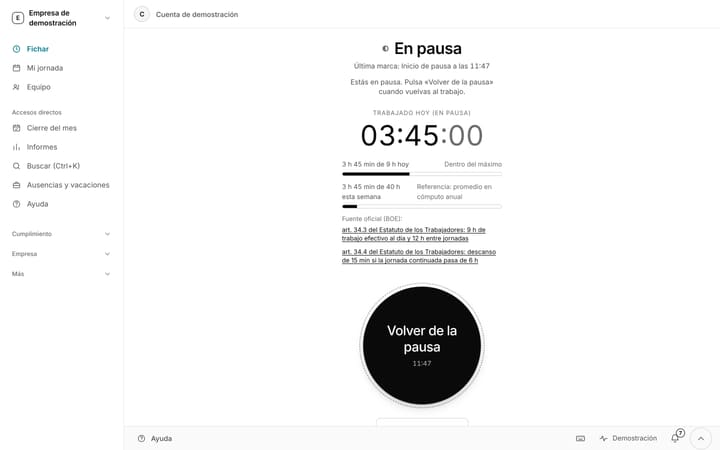
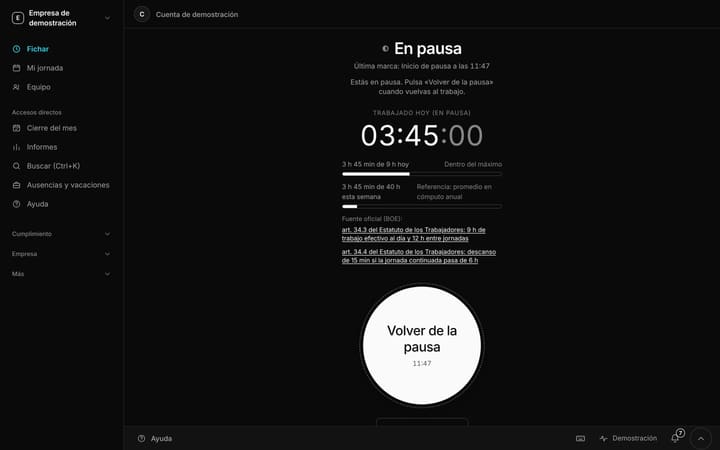
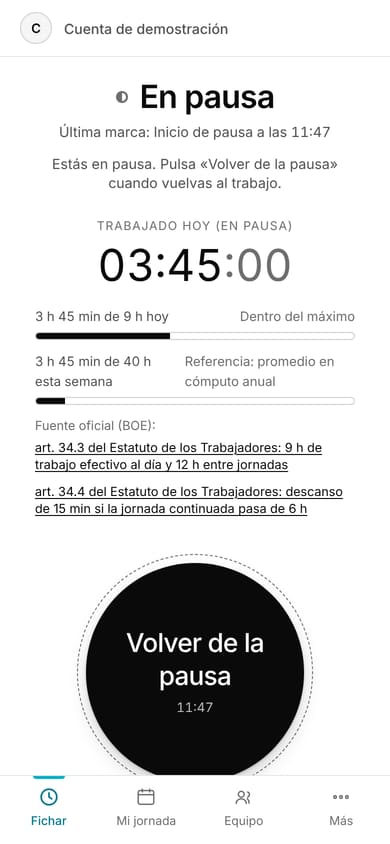
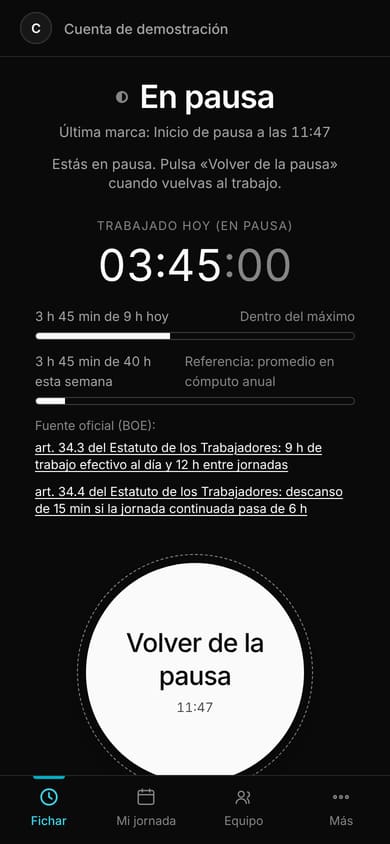
Clocking in: on a breakIn demo
Screenshot from the demo, with fictitious data. The interface shown is in Spanish.
Free until 31 May 2027. Just your email.
No card and no billing details: your email is all you need to start. You register your team in five minutes and you clock in today.