Skip to content
El Registro de Jornada .com

Guide

Your app on the home screen, in three steps

You do not need any app store. It installs from the browser and opens like any other app.

Choose your device

The steps for your phone

Android (Chrome)

Open the app in Chrome. If your browser offers an “Install now” button, tap it and you are done. If not, it takes three steps.

  1. Step 1: Open the browser menu

    It is the three dots at the top right.

  2. Step 2: Tap “Install app”

    On some phones it is called “Add to Home screen”.

  3. Step 3: Confirm

    The icon appears on your home screen.
iPhone (Safari)

On iPhone it has to be Safari. If you open the link from WhatsApp, email or another browser, copy the address and open it in Safari.

  1. Step 1: Tap the Share button

    It is a square with an arrow pointing up, at the bottom of Safari.

  2. Step 2: Tap “Add to Home Screen”

    Scroll down the list until you find it.

  3. Step 3: Tap “Add”

    It is at the top right. The icon appears on your home screen.

Computer (Chrome or Edge)

It is for people who manage things from the computer and want the app in its own window.

  1. Step 1: Look for the install icon

    It appears on the right of the address bar.

  2. Step 2: Click “Install” and confirm

    The browser does it in a few seconds.

  3. Step 3: Open it like any other program

    It opens in its own window, without the browser bar.

To share

Show it to someone else

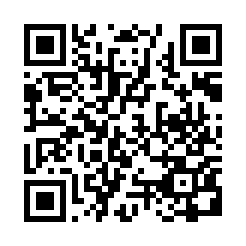
QR code that leads to this guide: www.elregistrodejornada.com/instalar-app

Anyone who scans this code with their phone’s camera reaches this same guide. You can also send the link by email or WhatsApp:

www.elregistrodejornada.com/instalar-app

The app is at app.elregistrodejornada.com. More questions: help and frequently asked questions.